Have you ever sat there, staring at a login screen, feeling that tiny spike of panic because you know you’ve used the same predictable password for three different accounts? It’s frustrating, right? We’re told that learning how to create a strong password requires us to become human calculators, memorizing endless strings of random gibberish and special characters that we’ll inevitably forget by Tuesday. Honestly, that approach is a total productivity killer. We don’t need more mental clutter; we just need a system that actually works without making our brains feel like they’re short-circuiting every time we want to check our email.
I’m not here to give you a lecture on complex cybersecurity protocols that sound like they were written by a robot. Instead, I want to share some real-world, bite-sized strategies that I’ve used to secure my own digital life while keeping my sanity intact. I promise to walk you through some straightforward, no-nonsense methods to build security that sticks. Let’s ditch the headache and finally master how to create a strong password that protects your data and your precious time!
Table of Contents
- Passphrase vs Password Picking Your New Secret Weapon
- Mastering Password Complexity Requirements Without the Headache
- My top 5 hacks for passwords that actually work
- Let's wrap this up: Your quick-start security checklist
- A little wisdom for your digital life
- Let's Wrap This Up
- Frequently Asked Questions
Passphrase vs Password Picking Your New Secret Weapon
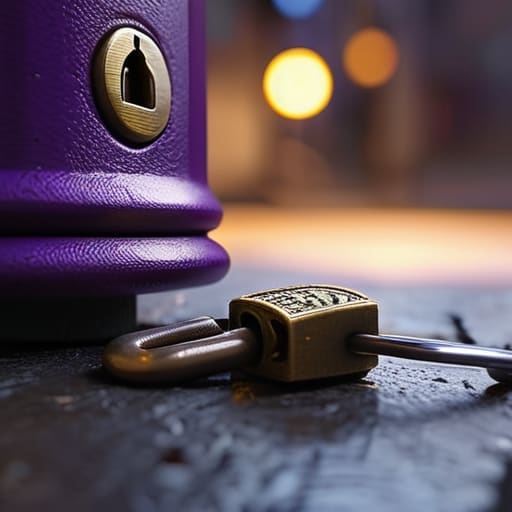
So, you’re probably wondering: should I stick with a traditional password or try something new? This is where the whole passphrase vs password debate comes in. Think of a standard password like a tiny, intricate padlock. It’s usually a jumble of letters, numbers, and symbols that is a total nightmare to memorize, yet surprisingly easy for a computer to crack through trial and error. On the other hand, a passphrase is more like a heavy-duty deadbolt. It’s a long string of random words—think something like purple-coffee-mountain-bicycle—that is much easier for your human brain to visualize but incredibly difficult for hackers to guess.
When we look at preventing brute force attacks, length is actually your best friend. Most security systems have specific password complexity requirements, but even a “complex” short password can be broken in seconds by modern software. By opting for a long, rhythmic passphrase, you’re adding layers of defense without the headache of typing “Xj9!pL2” every time you log in. It’s all about finding that sweet spot between high-level security and actually being able to use your devices without losing your mind!
Mastering Password Complexity Requirements Without the Headache
We’ve all been there: you go to update an account, and suddenly you’re staring at a red error message demanding a capital letter, a number, a special character, and a prayer. It feels like these password complexity requirements are designed just to frustrate us, right? But there is a method to the madness. The goal isn’t to make your life miserable, but to make it significantly harder for hackers to use automated software for preventing brute force attacks. Instead of trying to memorize a string of random gibberish like `P@ssw0rd123!`, try to think of complexity in terms of variety rather than just sheer chaos.
My favorite way to handle this without losing my mind is to use a reliable password manager. It takes the mental load off my shoulders so I don’t have to play “guess the symbol” every time I log in. If you’re still doing it manually, try to build your secrets around a core theme that only you know. By following these simple cybersecurity best practices, you aren’t just checking a box for a website; you’re actually protecting your digital life with much less stress.
My top 5 hacks for passwords that actually work
- Stop using your dog’s name or your birthday! I know it’s tempting because it’s easy to remember, but hackers have software that can guess those in seconds. Try using a random sentence from a book you love instead.
- Embrace the “Mix & Match” rule. To keep things secure but manageable, make sure every new password has at least one uppercase letter, one lowercase, a number, and a special character (like that @ or ! symbol).
- Think in phrases, not just words. Instead of trying to remember “P@ssw0rd123,” try something like “BlueCoffeeCup!2024.” It’s much harder for a computer to crack, but way easier for your brain to visualize.
- Use a password manager to do the heavy lifting. Honestly, even I can’t remember fifty different complex strings! A manager acts like a digital vault, so you only have to memorize one “master” password while it handles the rest.
- Check your “digital hygiene” regularly. Every few months, take a quick peek to see if any of your old passwords have been part of a data breach. It’s like tidying up your planner—it keeps the chaos at bay!
Let's wrap this up: Your quick-start security checklist
Ditch the short, complex passwords for long, memorable passphrases—they’re way harder for hackers to crack and much easier for your brain to remember!
Stop using the same password for everything; treat your logins like your toothbrush—don’t share them, and get a new one if things get messy.
Let a password manager do the heavy lifting so you can stop the “forgot password” cycle and actually focus on your day.
A little wisdom for your digital life
“Think of a strong password less like a complex math problem you have to solve every time you log in, and more like a sturdy deadbolt for your digital home—it should be tough enough to keep the intruders out, but simple enough that you don’t lose your keys every single morning!”
Clara Hamilton
Let's Wrap This Up
So, there you have it! We’ve gone from the headache of memorizing random strings of gibberish to realizing that a solid passphrase can actually be way easier to remember. Remember, the goal isn’t to make your life a digital nightmare; it’s about finding that sweet spot between maximum security and minimum stress. By ditching those predictable patterns and leaning into longer, more unique phrases, you’re already miles ahead of the average user. Don’t forget to grab a password manager to help keep all these new, complex secrets organized—your future, less-stressed self will definitely thank you!
I know, I know—talking about digital security isn’t exactly as fun as setting up a fresh, color-coded bullet journal layout. But think of these small tweaks as a way to reclaim your mental space. When you know your accounts are locked down tight, you don’t have to spend your energy worrying about “what if” scenarios. You can focus your beautiful, busy brain on the things that actually matter to you. Let’s take these tiny, actionable steps today so we can simplify the chaos and keep our digital lives running as smoothly as possible. You’ve totally got this!
Frequently Asked Questions
If I use a password manager to store everything, do I still need to worry about making my master password super complex?
Oh, that is such a great question! It’s tempting to think, “If the manager holds the keys, I don’t need to worry about the front door, right?” But here’s the thing: your master password is the only key to your entire digital life. If someone gets that one, they get everything. So, while you can relax about your individual site passwords, please don’t skimp on the master one. Make it a sturdy, memorable fortress!
Is it actually safe to use a phrase from my favorite song or book, or is that too easy for hackers to guess?
That is such a great question! Honestly, it’s a bit of a double-edged sword. Using a famous lyric like “Bohemian Rhapsody” is a big no-no because hackers use “dictionary attacks” that scan for common phrases. But, if you take a line and get creative—like adding a random punctuation mark or swapping a letter for a symbol—you’ve turned a simple phrase into a powerhouse passphrase. It’s all about making it personal and unpredictable!
How often should I actually be changing my passwords—is the "every 90 days" rule still a thing, or is that just overkill?
Honestly? The 90-day rule is totally outdated and, frankly, a bit of a headache. Forcing yourself to change passwords constantly actually makes things less secure because we end up picking predictable patterns just to remember them. Instead of a calendar countdown, focus on “event-based” changes. Only swap them if you suspect a breach or if you’re using the same password across multiple sites. Let’s work smarter, not harder!
