
Have you ever sat through a meeting, staring at a screen full of grainy, shadowy faces, and thought, “Is this really it?” We’ve all been there—the awkward moment when you realize your lighting makes you look like you’re filming from a dark basement, or your webcam turns your skin a strange shade of grey. I used to spend way too much time stressing over the “perfect” setup, thinking I needed a professional studio to master how to look better on video calls. But honestly? Most of that high-end gear advice is just noise that makes a simple task feel way more complicated than it needs to be.
I’m not here to sell you a thousand-dollar ring light or a professional camera setup. Instead, I want to share the simple, low-stress tweaks that actually work—the kind of stuff I’ve learned from years of navigating the corporate world and my own freelance life. We’re going to focus on practical, bite-sized shifts in lighting, angles, and even your background that will make you feel confident and polished in seconds. Let’s cut through the clutter and get you looking your best without the headache.
Table of Contents
Mastering Your Professional Video Call Lighting Setup
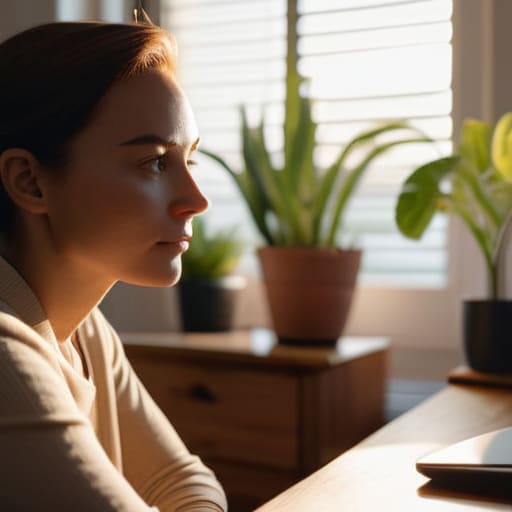
Let’s talk about the real MVP of your setup: the light! I used to think a dark room was fine as long as my Wi-Fi was strong, but boy, was I wrong. If you’re sitting with a bright window behind you, you’ll end up looking like a mysterious silhouette in a witness protection program. Instead, try to face a window directly. That soft, natural light is honestly the ultimate hack for a professional video call lighting setup without spending a dime.
If you’re working in a spot without much sunlight, don’t panic! A simple desk lamp positioned slightly behind your monitor can work wonders. Just be careful about reducing video call glare on your glasses or that shiny surface of your desk—you don’t want to blind your coworkers. If you want to get a little fancy, a small ring light can help, but even a well-placed lamp makes a huge difference in how polished you appear. It’s all about finding that sweet spot where you look bright, clear, and totally ready to tackle the day.
Finding the Perfect Camera Angle for Video Meetings
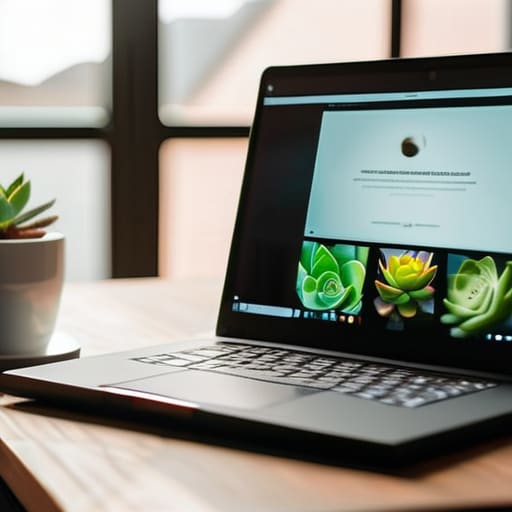
Now that we’ve tackled the lighting, let’s talk about something that can make or break your presence on screen: your perspective. We’ve all been there—stuck in a meeting where the camera is sitting low on a desk, making it feel like we’re staring up at a giant! This “looking up” angle can feel a bit awkward and, honestly, isn’t the most flattering for our features. To achieve that polished, remote work professional appearance, I always recommend bringing your laptop up to eye level. If you don’t have a fancy tripod, don’t sweat it! A sturdy stack of books or even a colorful coffee mug can act as a makeshift stand to get that perfect height.
Once you’ve got the height right, try to tilt the screen slightly so you aren’t looking down into it. You want the lens to be level with your eyes; this creates a sense of direct, engaging eye contact with your colleagues, which goes a long way in building rapport. Finding the right camera angle for video meetings is really just about feeling more balanced and confident in your digital space.
5 Easy Ways to Level Up Your Video Presence
- Pick a background that actually feels like you. You don’t need a fancy office, but a quick tidy-up of your bookshelf or a simple, neutral wall works wonders to keep the focus on your face rather than that pile of laundry in the corner!
- Dress for the vibe of the meeting. Even if you’re working from your couch, throwing on a nice sweater or a crisp shirt can instantly boost your confidence and make you feel more “on.”
- Keep an eye on your eye contact. It feels a little weird at first, but try to look directly into that tiny camera lens when you’re speaking instead of at your own reflection on the screen. It makes a huge difference in how connected you feel to your team!
- Minimize the distractions. If you can, pop on some noise-canceling headphones or use a background blur filter. It helps create a little “professional bubble” around you, even if the neighbor is currently mowing their lawn.
- Check your tech before you dive in. There’s nothing quite as stressful as joining a big meeting only to realize your mic is muted or your internet is acting up. A quick two-minute tech check saves so much headache!
Quick Wins for Your Next Call
Don’t forget the background! A tidy, simple space keeps the focus on you rather than your laundry pile.
Keep your eyes on the lens, not your own reflection. It makes a huge difference in how much you actually “connect” with your team.
A little bit of prep goes a long way. Taking just two minutes to check your lighting and angle before you hit ‘Join’ saves so much mid-meeting stress!
A Little Confidence Boost
“At the end of the day, looking your best on camera isn’t about being perfect; it’s about feeling comfortable enough in your own space to actually show up and connect with people.”
Clara Hamilton
You've Got This!

So, there you have it! We’ve covered a lot of ground, from chasing that perfect natural light to making sure your camera isn’t staring up your nose from a desk level. Remember, looking your best on screen isn’t about having a professional studio setup or a high-end production crew; it’s really just about those small, intentional tweaks that make a massive difference. When you nail your lighting and find that sweet spot for your camera angle, you aren’t just looking better—you’re actually projecting a sense of confidence and readiness that helps you show up more effectively in every single meeting.
At the end of the day, please don’t get too caught up in perfectionism. I know I can be a bit of a stickler with my color-coded planners and perfectly organized spaces, but video calls are meant for connection, not for proving how flawless your home office is. Use these tips to take the stress out of your digital presence so you can focus on what actually matters: the conversation and the people on the other side of the screen. You are doing a great job navigating this digital world, and you’ve totally got this!
Frequently Asked Questions
What should I do if my room is naturally dark and I don't have a ring light?
Don’t panic! I used to live in a tiny apartment with zero natural light, so I totally get it. If you don’t have a ring light, try the “lamp hack”: grab a desk lamp and place it behind your laptop, slightly to one side. This mimics a soft studio light. Just pop a thin white cloth or even a piece of paper over the shade to soften the glow—it prevents that harsh, squinty look!
Does my background really matter that much, or can I just use a blur filter?
Honestly, I get it—the blur filter is a total lifesaver when your laundry pile is staring you down! But if you can, try to curate a real space. A tidy bookshelf or even just a plain wall feels much more “intentional” than a fuzzy, digital blur. A clean background tells people you’re focused and ready, whereas a heavy blur can sometimes feel a bit distracting or even a little disconnected.
How can I stop looking so tired or "washed out" on camera even when I'm feeling okay?
Oh, I totally get this! Even on my good days, the screen can make me look a little ghostly. My secret weapon? A tiny bit of color. Since we’ve already nailed the lighting, try wearing a shirt in a jewel tone—like a deep teal or berry—instead of just plain gray or beige. It adds instant life to your face! Also, a quick dab of tinted moisturizer can work wonders to combat that “washed out” look.
